
Author: Andrew Holmes in: News
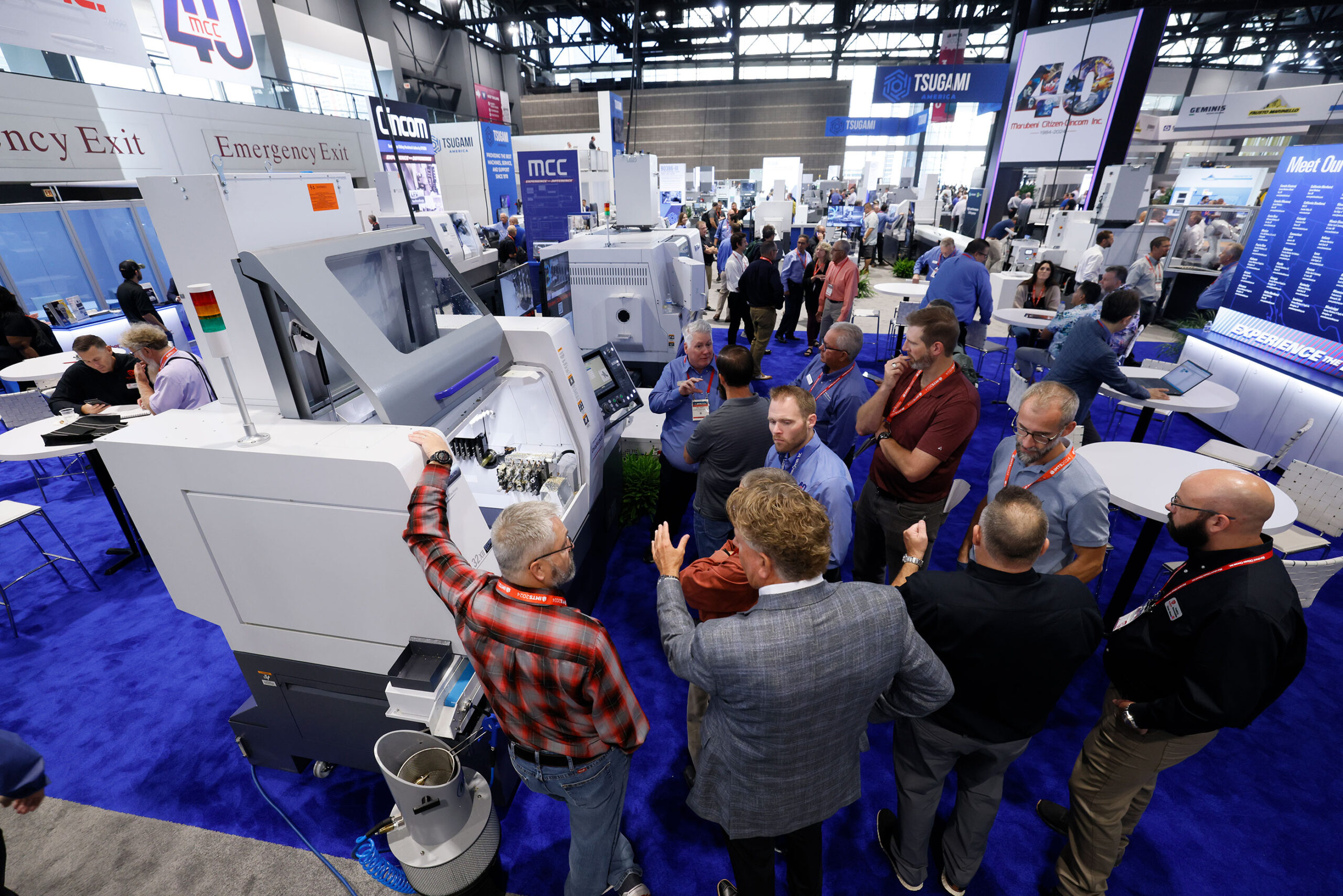
Three weeks out from IMTS, most manufacturers attending the show have a rough plan: walk the Software Pavilion, sit through a few demos, and get a clearer picture of what’s available. That’s a reasonable starting point, and a bad finishing one.
The demo you see at a trade show booth is the best possible version of the product. It’s scripted, rehearsed, and built around the features that look best under pressure. What it doesn’t show you is how the software behaves when your data is in it, your team is using it, and something goes wrong at 6 a.m. on a Monday before first shift.
The questions below are designed to get past the demo and into the reality of how the product is actually built and supported. Ask them at every booth. The answers will tell you more than anything on the screen.
This is the single most revealing question you can ask an ERP software vendor, and most of them won’t have a clean answer.
A lot of software marketed as a unified solution is actually a collection of acquired products stitched together under a shared brand. Each acquisition brought its own codebase, its own database, and its own development team. A centralized login and a consistent color scheme don’t change that. The underlying architecture is still fragmented.
When a vendor maintains multiple codebases, you get inconsistent behavior across modules, separate release schedules, and support teams that specialize in one product but not another. When something breaks at the intersection of two modules, you’re the one caught in the middle.
One codebase means one development team building toward one roadmap, with shared logic applied consistently across the entire product. That’s what you’re looking for.
This question targets the part of integration that matters most to your daily operations: whether your data is actually unified, or just synchronized between separate systems.
In a genuinely integrated ERP solution, master data lives in one place. A customer record, a part number, a work order, a supplier entry; each one exists once and is referenced everywhere. When something updates, every module sees the change immediately. There’s no sync job, no middleware, no lag, and no risk of the production module and the shipping module holding two different versions of the same record.
In a bundled solution, the vendor typically builds a master data service to sit on top of several disconnected databases and keep them roughly aligned. Ask directly: is there one database with one data model, or is there a synchronization layer connecting separate product databases? If it’s the latter, ask what happens when the sync fails and how often it does.
Permissions are unglamorous and they expose stitched-together architecture faster than almost anything else.
In a true single-product solution, there’s one permission model. You assign a role, set the access level, and it applies consistently everywhere in the software. Adding a new user takes minutes and behaves predictably.
In a bundled solution, each original product usually brought its own permission logic. Even after the vendor builds a shared login service, the underlying role definitions, access controls, and admin interfaces often still vary by module. Admins end up managing access in multiple places, and edge cases accumulate over time.
Ask the vendor to walk you through how they’d add a new user and restrict their access to a specific set of functions. Watch whether the answer involves one screen or several.
A lot of ERP software vendors sell and implement the same product. Some don’t. Some sell through reseller networks, where the company that signs your contract is not the company that built the software, and the implementation team you work with has varying levels of familiarity with the product and your industry.
Ask who will handle your implementation specifically. Ask whether that team has implemented the product for manufacturers in your vertical before, and ask for a reference you can call. Ask what happens when you need support after go-live: who picks up the phone, what their average response time looks like, and whether they have visibility into your specific configuration or are starting from scratch every time you call.
The answer to this question matters more for your two-year experience with the software than anything in the demo.
Every ERP software vendor at IMTS will tell you their solution is modular and scalable. Ask them to be specific about what that means in practice.
In a genuinely integrated solution, adding a module is a configuration decision. The data is already shared, the permissions model already covers it, and the user experience is consistent with everything else in the product. You turn it on, your team gets trained, and you use it.
In a bundled solution, adding a module often means onboarding what is functionally a different product. A new implementation engagement, a new data migration, a new set of user interfaces to learn, and potentially a new support team to deal with. Ask what the last three customers who added a module experienced, and how long it took before they were fully operational.
Before you sit down at any booth, know the answer to this: what are the two or three operational problems you need this software to solve, and what does success look like twelve months after go-live?
Bring that answer into every conversation. The vendor who asks you about it before launching into their demo is worth more of your time than the one who doesn’t.
OnRamp is a fully integrated ERP solution built inside Mancor Industries, a Tier 1 automotive fabricator with six facilities in Ontario. One codebase, one data model, one permission system, and a single team that builds, implements, and supports the product. Every customer has achieved their stated business goals within twelve months of go-live, and we have never lost a customer.
If scheduling reliability, inventory accuracy, shop floor visibility, or quality traceability are on your list of problems to solve, come find us at IMTS in Chicago, September 14 to 19. Reach out now to book time with our team before the show floor gets busy.

For more information about how OnRamp ERP software can add value to your business fill in the contact form below. A member of our support team will contact you within 1 business day to discuss any questions you have.
Start the collaboration with us while figuring out the best solution based on your needs.


Our efforts began as an internal project of Mancor Industries when we identified the need for a more cohesive ERP system to manage the complexity of multiple plants, multiple products, multiple customers and multiple functions.
Read MoreHas your business outgrown a patchwork of disconnected systems? This checklist helps you assess readiness, identify gaps, and prepare for a smooth transition.


